Understanding generated responses
Each response generated by the Brand Assistant includes various elements to help you through the process of using AI in Sitecore Content Hub.
The Brand Assistant strives for accuracy but it might occasionally generate incorrect responses. Always verify the information provided.
Brainstorming
Each response generated by the Brand Assistant using the Brainstorming tool includes the following elements:
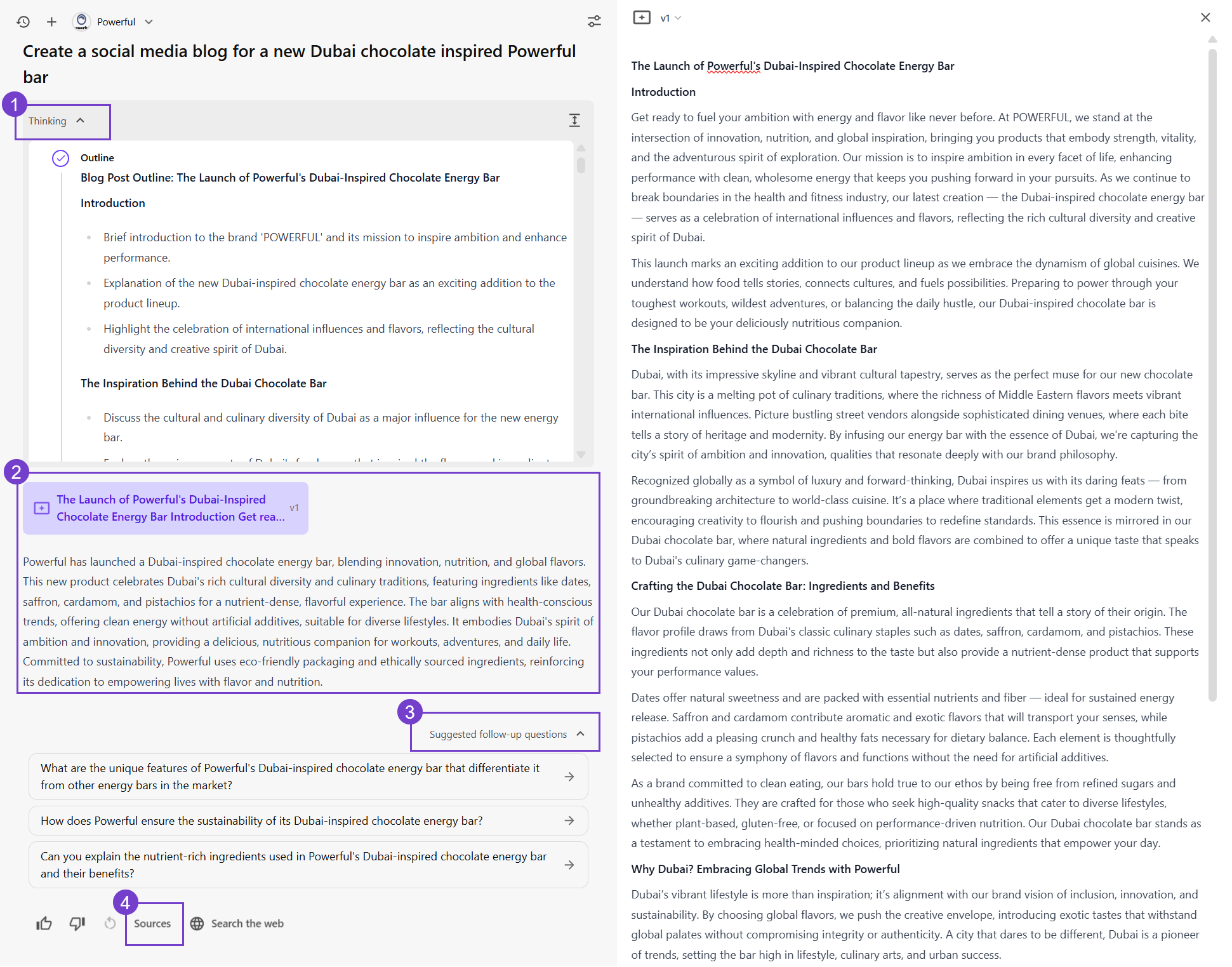
- Thinking - shows how the response was generated,. Click to expand and view details of the chain-of-thought process, including the specific steps completed or in progress, from creating an outline to generating the final response.
- Response - the generated response includes the following:
- Left-hand pane - a concise summary of the long-form content produced through brainstorming.
- Right-hand pane - the full detailed version of the response (artifact), labeled v1. You can copy or refine, or export the artifact as a DOCX file as needed.
- Suggested follow-up questions - related questions or prompts you can use to continue the conversation or explore more topics.
- Sources - list of sources used to generate the content. This might include brand knowledge, web sources, or both.
Brief generation
Each response generated by the Brand Assistant includes the following elements:
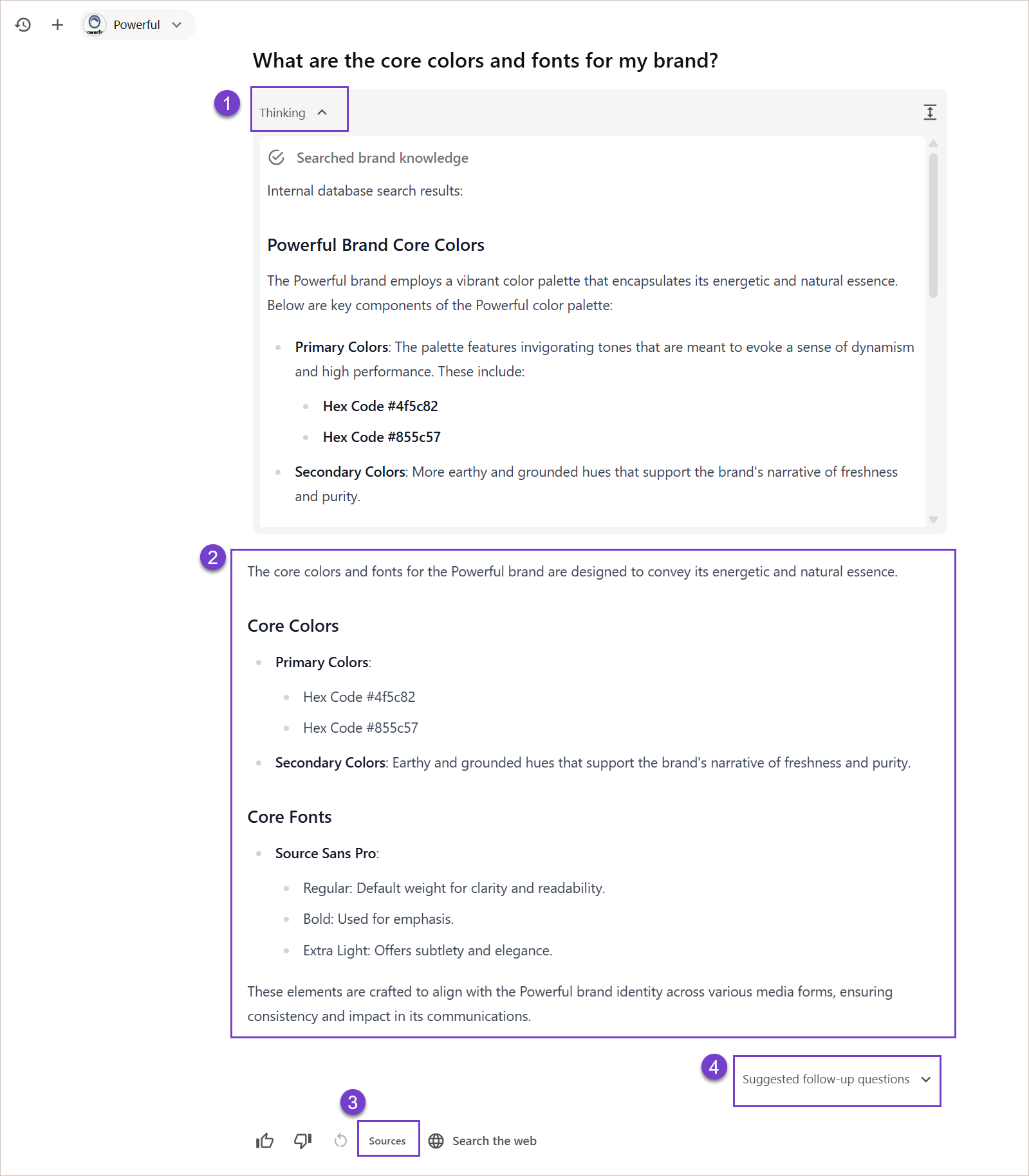
-
Thinking - shows how the Brand Assistant generated the response. Click to expand and view details of the agentic AI process, including where the information came from - like brand knowledge or web searches.
-
Response - the main answer generated based on the Brand Assistant's thinking process. It uses information from the Brand Context or searches brand knowledge or the web to deliver the most relevant answer.
NoteWhen you use the Brief or Brainstorming tools in the Brand Assistant, the response also includes an artifact - a standalone content block that appears in the right-hand pane.
-
Sources - list of sources used to generate the content. This might include brand knowledge, web sources, or both.
-
Suggested follow-up questions - related questions or prompts you can use to continue the conversation or explore more topics.
Refining the generated response
If the Brand Assistant's response isn't what you expected, try the following:
- Selecting one of the follow-up questions.
- Rephrasing your prompt.
- Adding more detail or context.
- Clarifying your request.
Then, regenerate the response for better results.
If the Brand Assistant isn’t generating accurate or on-brand content, it's often due to incomplete or inaccurate brand documents. See the Brand Assistant FAQ for guidance.