- Brief types
Create a brief type
The brief type page is only available if you have the ManageBriefs privilege or are a superuser.
You can tailor the structure of a brief to address the requirements of specific marketing campaigns by creating a brief type. All briefs are created from a brief type. For example, you can create a brief type with sections specific to a running shoe campaign or a travel campaign. This means the structure of information contained in the brief provides the guidance and information needed for each team, campaign, or project.
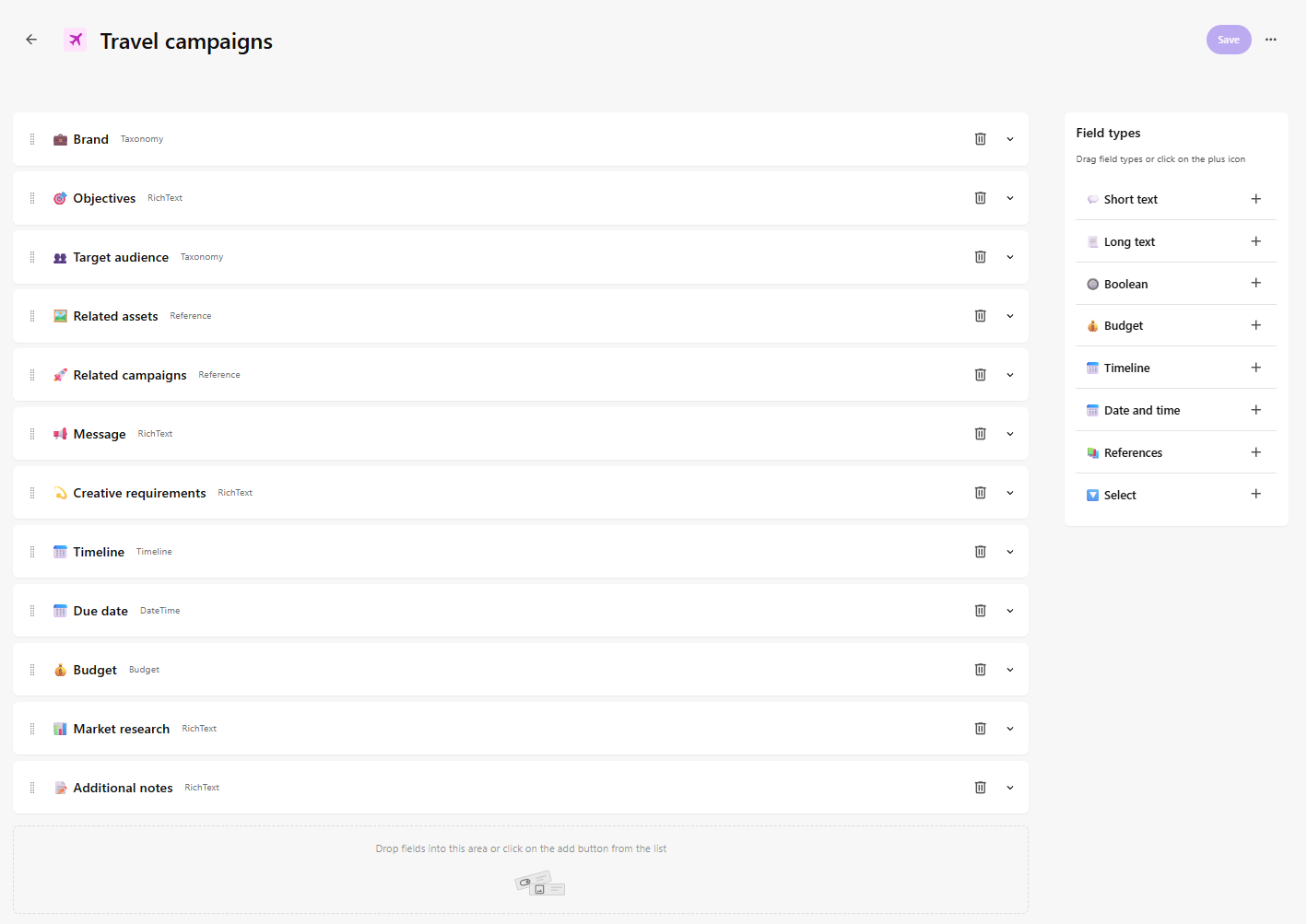
The brief type interface provides an easy-to-use interface that lets you build the structure of the brief type by dragging and reordering fields. In the following example, the Travel campaigns brief type was created using the preset configuration and contains all available field types (such as short text, long text, budget, date and time, and so on). You can add, remove, and reorder fields as required.
To speed up the brief type creation process, you can create a copy of an existing brief type.
To create a brief type:
-
On the menu bar, click Content Ops.
-
On the Content Operations page, click Create > Brief type.
-
In the Create brief type dialog, in the Name field, enter a name for the brief type.
-
In the Icon and Icon color drop-down lists, select the icon and its color for the brief type.
-
In the Description field, enter a description of the purpose and use of the brief type. Maximum description length is 200 characters.
-
To start with a predefined brief type template, turn on the Start with a preset of configured field types switch.
-
Click Continue.
After creating a brief type, you are automatically redirected to the brief type page where you can configure it.
-
To structure brief content, add fields to the brief type template by dragging fields onto the template or clicking Add .
-
To reposition a field, click and hold the icon while dragging it to a new position.
-
To delete a field, click Delete and then click Delete to confirm.
-
When you have finished structuring the brief type template, click Save.