Edit ordering profiles
In Sitecore Content Hub, each media type has an ordering profile. An ordering profile is a system configuration that specifies how media content is handled during a download.
To edit ordering profiles:
- On the menu bar, click Manage .
- On the Manage page, click Taxonomy.
- Select the M.AssetMedia taxonomy.
- Choose the media type to edit and click Show detail .
- Click Edit .
- Edit the Ordering profile JSON.
- Click Save.
Example - add Webp as an image processing option
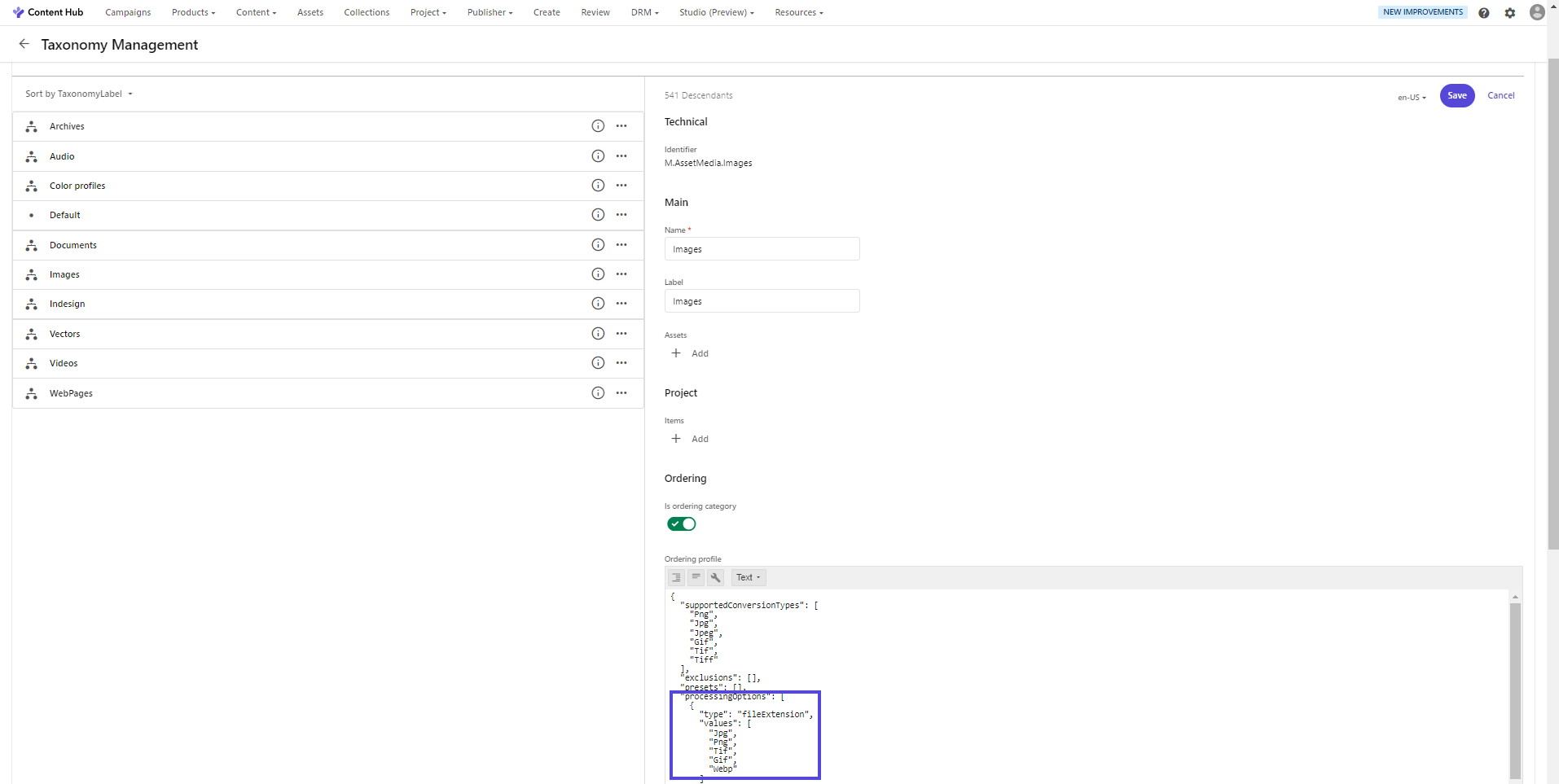
This procedure describes how to add an image processing option to the Images ordering profile as a possible conversion format, in this example the Webp image format. This lets users see the option in the Format drop-down list when they do a custom download from an asset's details page.
To add Webp as a possible conversion format:
-
On the Asset media Taxonomy Management page, on the Images label, click Show detail .
-
On the right-hand side of the page, click Edit .
-
In the Ordering profile, add
WebpunderprocessingOptions. -
Click Save.
If you have suggestions for improving this article, let us know!