Entity renditions
The Entity renditions component displays available entity renditions on an entity details page, such as Original, Alternative, and so on, along with a download button for each rendition.
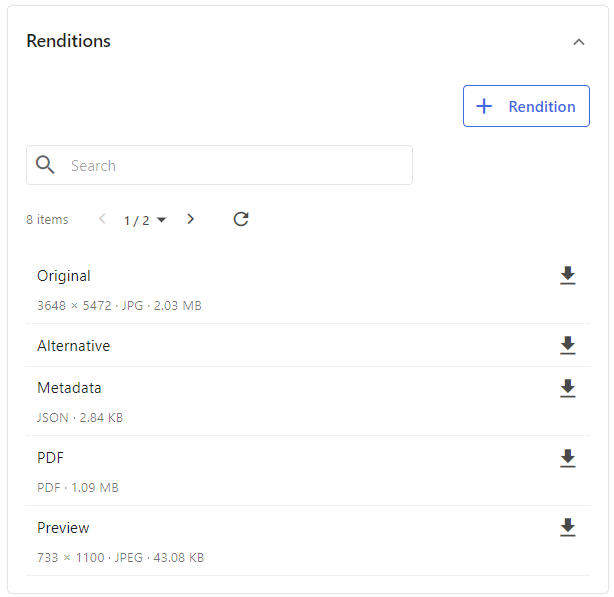
To add an Entity renditions component:
-
On the menu bar, click Manage .
-
On the Manage page, click Pages.
-
On the Pages page, select the details page you want to modify.
-
On the Layout tab, add the page component.
-
Click the component to open its details page.
-
Click Edit.
-
In the Title field, change the component title as required.
-
In the Data field, enter JSON data that specifies the desired entity definition. The following example shows the JSON needed to display asset renditions.
-
Click Save.
If an asset has several renditions with the same name, you can use the Output priority property in M.Rendition.Link entities to set the priority level to a number of your choice. The higher the number, the higher the priority. For example, if an asset has two renditions, thumbnail with output priority 3 and thumbnail_cropped with output priority 2, then the thumbnail rendition appears in the Entity renditions component.