Facets
A facet is used to categorize content based on a taxonomy value. This makes the content easier to find. To display additional information based on the selected facet above the search bar, use super facets.
Facets can be displayed in different ways.
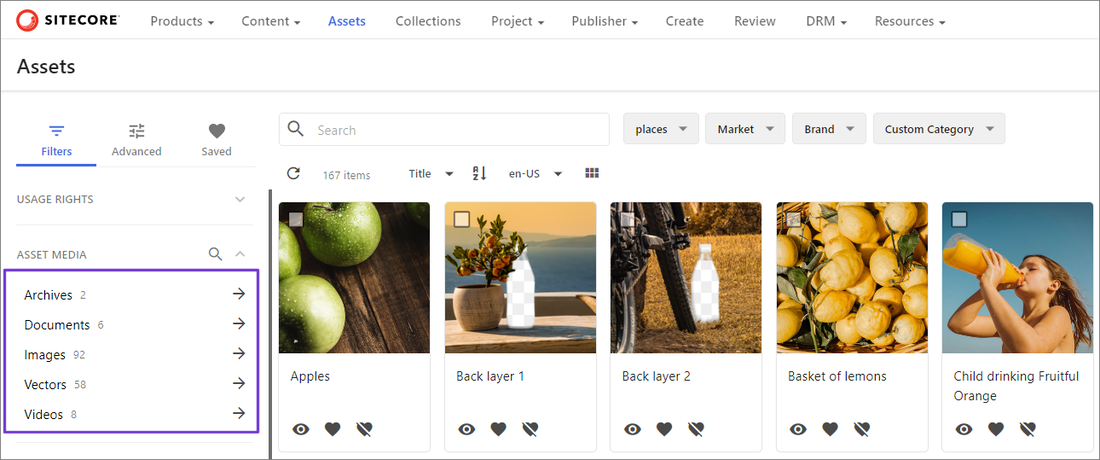
- Vertical facets are displayed in the left pane.
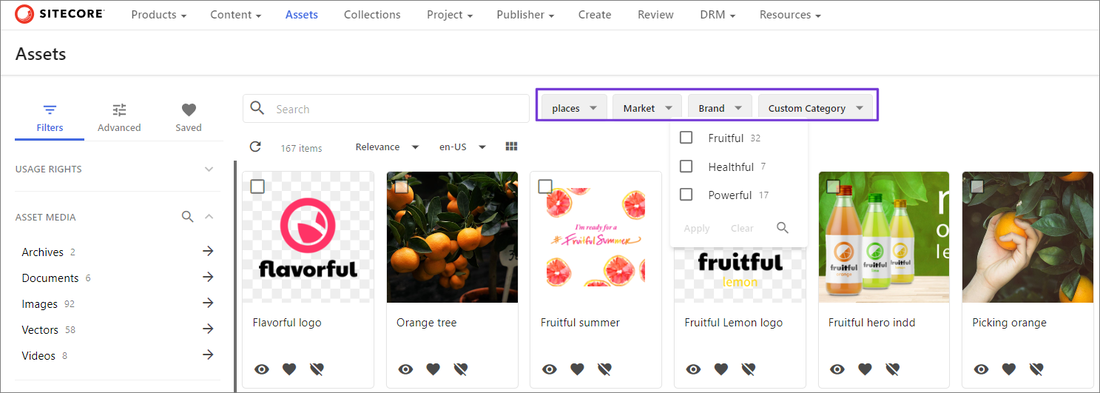
- Horizontal facets are displayed above the asset grid or table.
If you are a superuser or have the necessary permissions granted to you through user group policies, you can define search restrictions that determine the number of search facets you can select. If the number of facets you select surpasses the number defined in the search restrictions, a validation message displays. To resolve this, select fewer facets or change the search restrictions.
Example
With vertical facets, click the arrow next to a facet to narrow down results.
With horizontal facets, click the facet to display the facet list and then select and apply the facets.
- Add a Search component to the page.
Add facets
To add a facet:
-
On the Layout tab, click the page component to open its details page.
-
In the Tools section, turn on the Facets switch.
-
Click the Facets tab and then click the Standard tab.
-
Click Add facet.
You can add up to 40 facets.
-
Define the following settings:
Field Description Facet type The facet type. Taxonomy item The source taxonomy of the facet values. Label type The facet label type. Label A new or existing label using translations. Definition The source definition of the facet values. Property The property of the selected definition used as a source/label for the facet values. Sorting The sort order. Direction The sort order direction. Position The position of the facet. Limit Limits the number of facet values displayed. Multi-select Allows you to select multiple facet values in a single search. NoteIf you use this facet as the Source for a follow-up facet, Multi-select must be disabled.
Collapsed by default Allows you to specify that vertical facets be closed by default. -
Click Save.
Do not configure custom facets as they are used for system features.
To clear your facet selection, for horizontal facets, clear the selected checkboxes or click Clear. For vertical facets, click X next to the selected facet or click Clear all.