Query builder
The Query builder lets you display an advanced search section on the page, providing additional filter settings based on specific fields.
Example
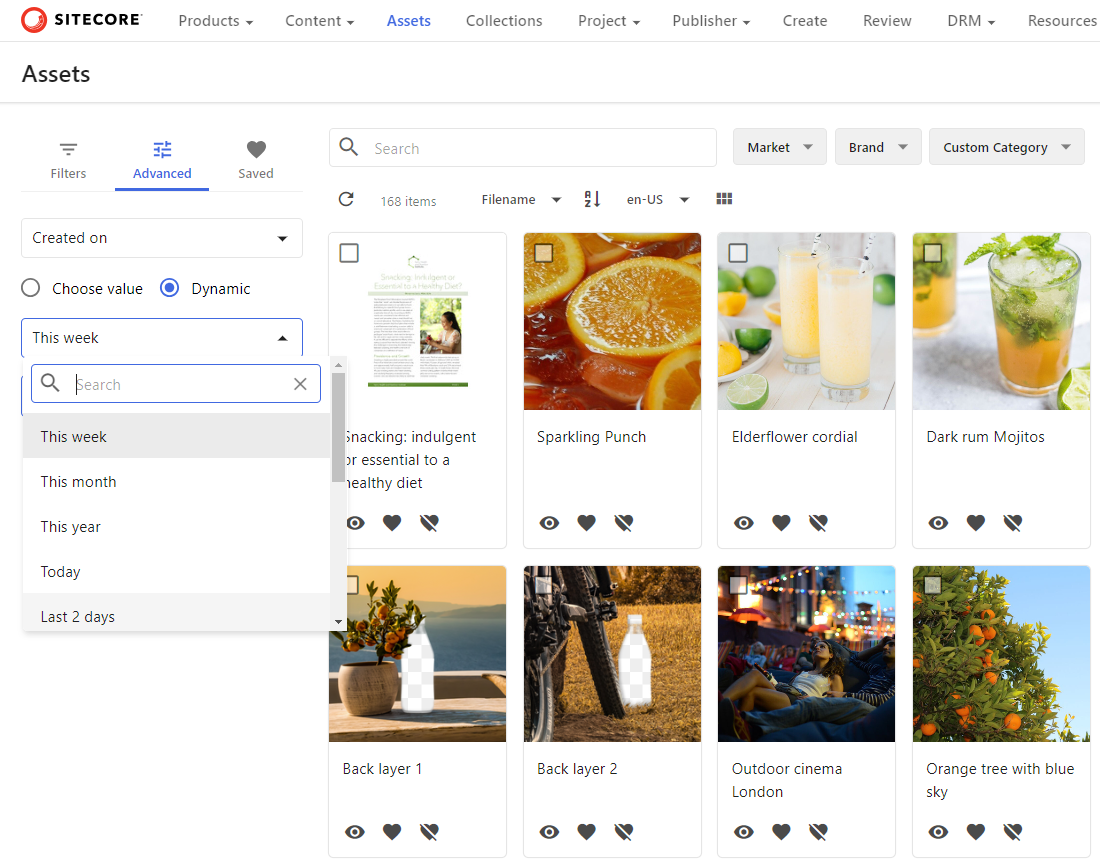
In the following example, the Assets page includes a query builder filter that lets users create dynamic filters.
Here, the fields are:
- Asset - Title (Title)
- Asset - Filename (FileName)
- System - Created by
- System - Created on
The following dynamic values create an offset that only includes results from the past two days.
- Operator - minus
- Offset - 2
- Unit of measurement - Days
Note
You cannot use the properties of related items as facet or query builder options.
Before you begin
- Add a Search component to the page.
Configure the query builder
You can add queries and dynamic value filters to the advanced search section.
To add a query:
- On the Layout tab, click the page component to open its details page.
- In the Tools section, turn on the Query builder switch.
- On the Fields tab, click Add query.
- Select one of the following field types and configure its available settings:
- Definition - the entity definition and label type.
- Field - the entity definition, field in the selected definition, and label type. The possible values vary with the selected definition.
- System - a system property.
- Click Save.
To add a dynamic value:
-
On the Dynamic values tab, click Add dynamic value.
-
Set the following parameters:
Field Description Operator Use a minus if the offset is before the current date, or a plus if it is after the current date. Offset The offset value. Unit of measurement The offset unit. -
Click Save.
If you have suggestions for improving this article, let us know!